Processing plan files
After the plan files are created, you process the budgets to save the data to the database.
 Processing budgeting plan files
To process plan files:
-
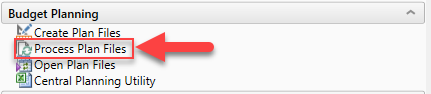
In the Axiom Budget Admin task pane, in the Budget Planning section, double-click Process Plan Files.
-
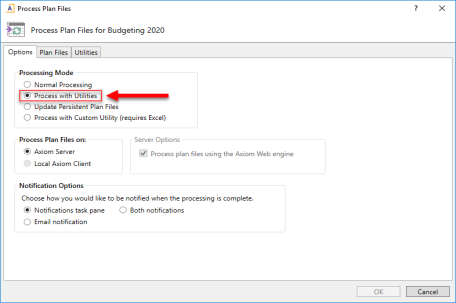
If processing the web-based plan files, in the Options tab, in the Processing Mode area, select Process with Utilities. This option should be selected by default.
-
In the Plan Files tab of the Process Plan Files dialog, select the check box next to the plan files to process.
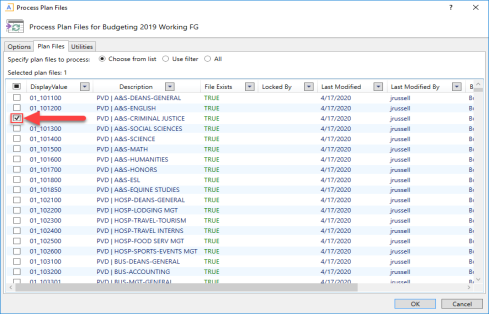
- Click OK.
To process plan files:
-
In the Axiom Labor Admin task pane, in the Labor Planning section, double-click Process Plan Files.

-
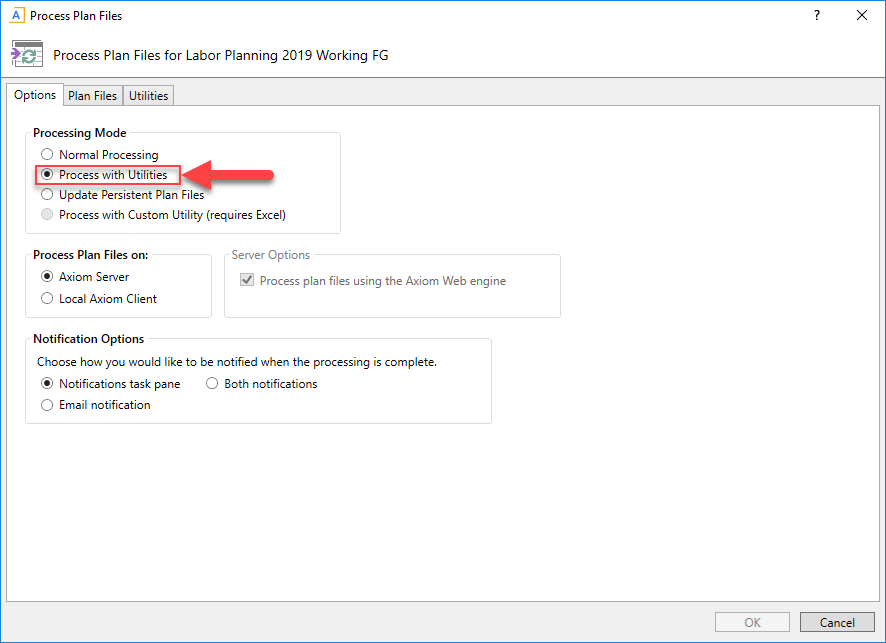
If processing the web-based plan files, in the Options tab, in the Processing Mode area, select Process with Utilities. This option should be selected by default.
-
In the Plan Files tab of the Process Plan Files dialog, select the check box next to the plan files to process.
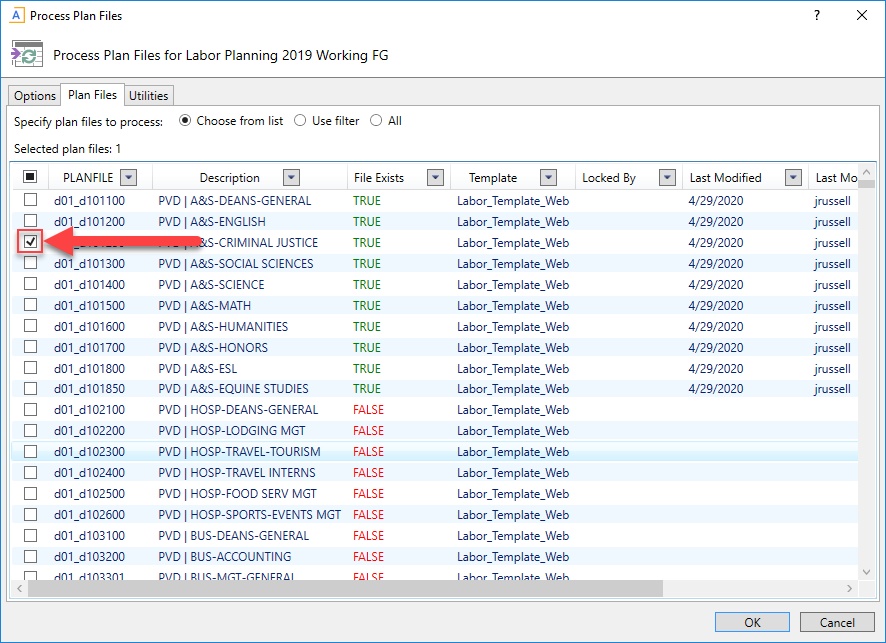
- Click OK.
Processing labor plan files
To process labor plan files:
-
In the Axiom Labor Admin task pane, in the Labor Planning section, double-click Process Plan Files.
-
If processing the web-based plan files, in the Options tab, in the Processing Mode area, select Process with Utilities. This option should be selected by default.
-
In the Plan Files tab of the Process Plan Files dialog, select the check box next to the plan files to process.
- Click OK.
