Dashboard tools
Dashboard sections provide one or more of these tools for viewing a visual. You can use these tools to personalize your view and use of the data in the dashboard.

|
Filter | Displays which, if any, filters that affect the visualization. |

|
Focus mode | Shows an enlarged version of the visualization. To return to the dashboard, select Back to report. |

|
Export data | Use to export the data for the visualization in an Excel or a .cvs format. You can choose to export summarized or underlying data. |

|
Show as a table | Shows an enlarged version of the visualization and a table of its data. To return to the dashboard, select Back to report. |

|
Spotlight | Dims all of the dashboard, except for the visualization. |

|
Sort descending | Sorts the data in descending order: 9 to 0 or Z to A. |

|
Sort ascending | Sorts the data in ascending order: 0-9 or A to A. |

|
Sort by | Shows a list of the data elements used in the visualization, letting you control how to sort the data for that visualization. |

|
Drill down | TBD |

|
Drill up | TBD |

|
Go to the next level in the hierarchy | TBD |

|
Expand all down one level in the hierarchy | TBD |
|
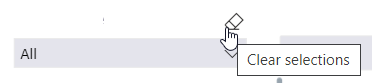
Clear selections | Resets a slicer to the default settings. |
