System Setup utilities
These reports are designed as utility reports to help you set up the system.
Accessing these reports
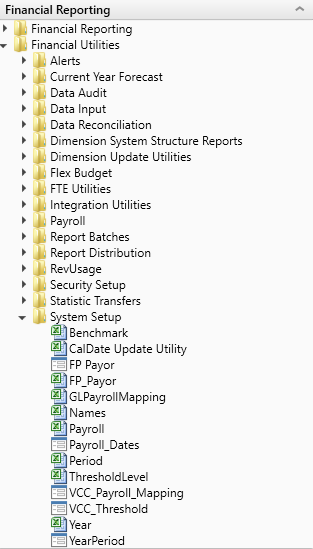
The reports listed in this section are located in \Axiom\Reports Library\Management Reporting Utilities\System Setup. For instructions, see Browsing the Report Library.
You can also access them from the Bud Admin task pane. In the Financial Reporting section, click Financial Utilities > System Setup.
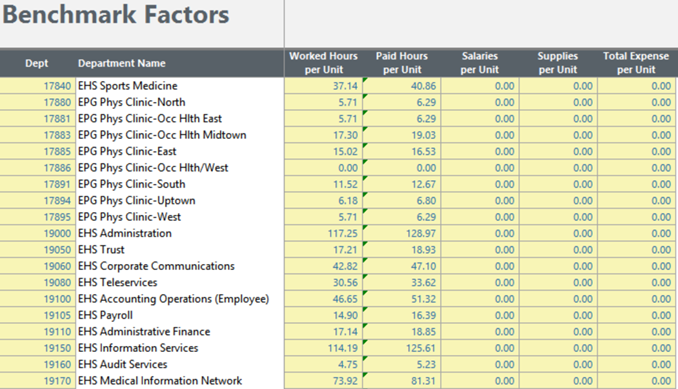
Benchmark
Used as factors in productivity reports.
Click image to view full size
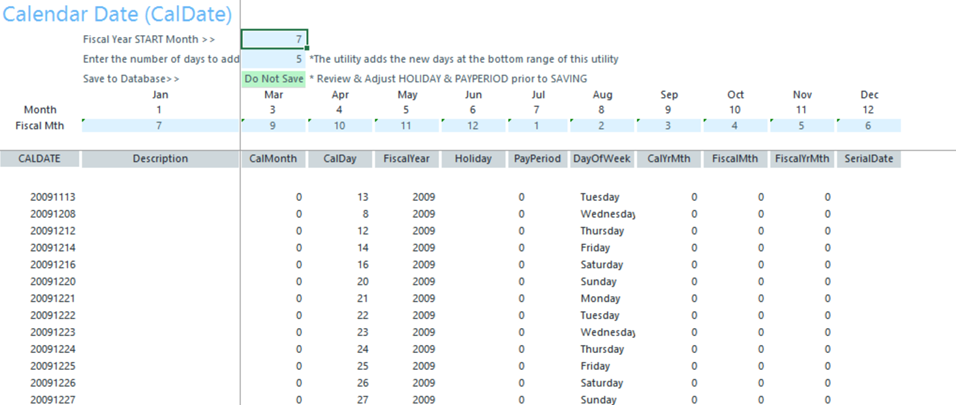
CalDate Update Utility
Use as a utility to help you fill out the necessary columns in the CALDATE dimensions table. Only needed if licensed for Daily Productivity.
Click image to view full size
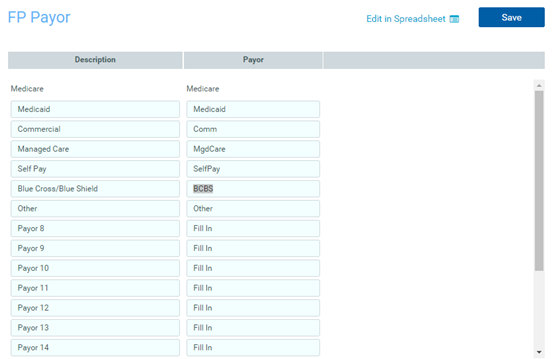
FP Payor
Use to assign the payors for use in the Axiom Financial Planning product.
Click image to view full size
Names
Use this table in reports or FileCollect process to look up email, names, titles, and login information.

Click image to view full size
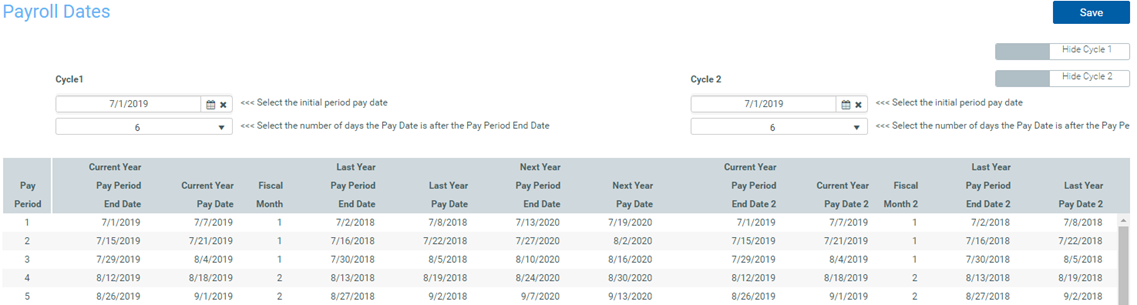
Payroll_Dates
Used in reports to look up the pay period end date and pay date for current year and last year. There are two sections if your organization uses two pay cycles.
Click image to view full size
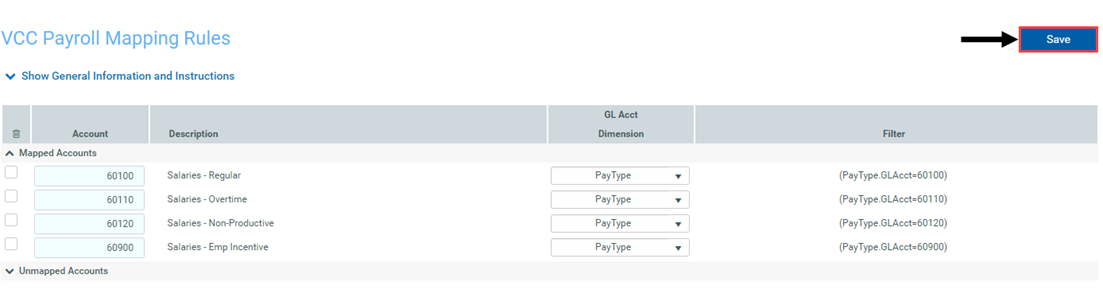
VCC_Payroll_Mapping
Used by Variance Comments and other payroll utilities to map GL accounts to job codes and/or pay types.
Click image to view full size
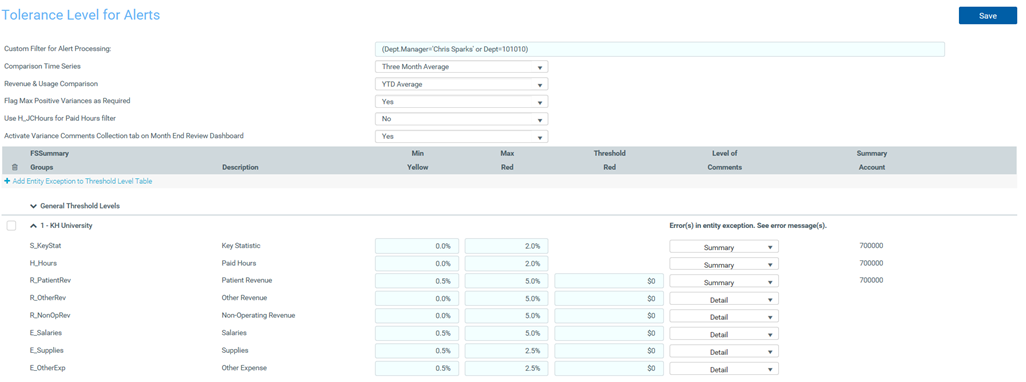
VCC_Threshold
Used to set configure how much an account can vary from budget before department managers are required to enter comments explaining the variance
Click image to view full size
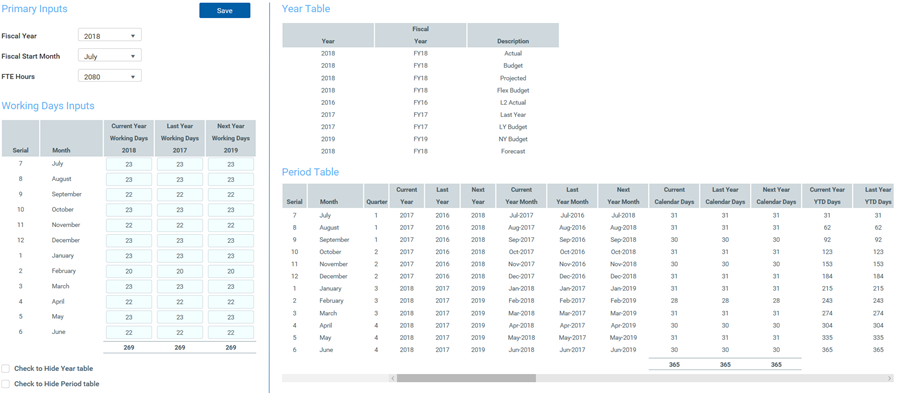
YearPeriod
Used in configure the first year and month of the fiscal year, number of work days in the current, last, and next year, and the standard FTE hours worked by employees in a year.
Click image to view full size
