Capital Planning Project Scoring and Selection utility
The new Capital Project Scoring and Selection utility is a web-based feature that provides one location for your organization to manage the process of selecting, evaluating, and submitting next year's planned projects for approval. The utility consists of the following tabs: Project Ordering and Scoring, Project Selection, and Evaluation Scoring.
NOTE: The tabs that display are determined by a user's role profile. Capital Planning administrators see the Project Ordering and Scoring, and Project Selection tabs. The Capital Committee members only see the Evaluation Scoring tab.
Project Ordering and Scoring
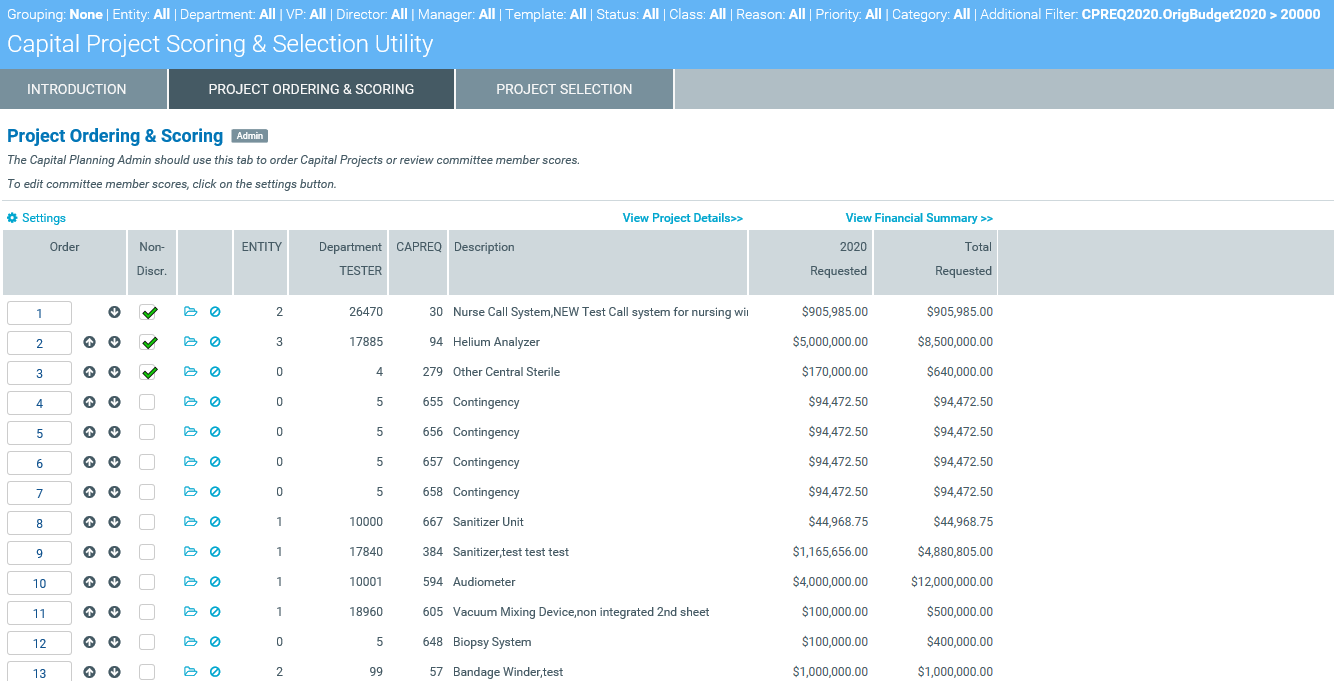
This tab allows Capital Planning administrators to configure the order of projects for the Capital Committee members for evaluation and scoring by sorting and filtering projects. Administrators can order projects in multiple ways and select which projects are non-discretionary. The tab also includes links to the project plan files and any corresponding documentation attached to the project. The table includes project and financial summary information accessible through links that allows administrators to expand or contract the data, as needed.
Project Selection
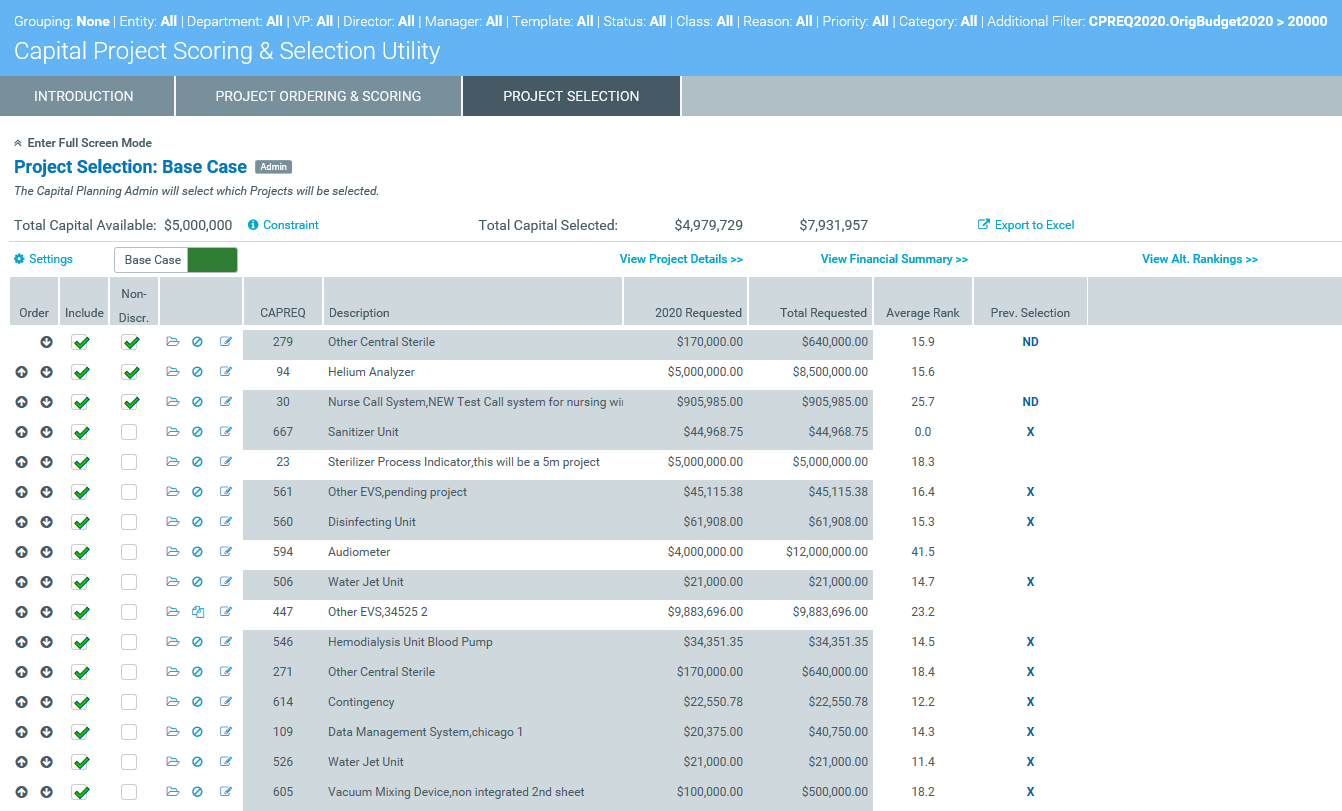
From this tab, administrators can model different capital allocation portfolios before selecting projects to include in the final portfolio. Projects are automatically added to the portfolio in rank order based on scores provided by the Capital Committee members, until all available capital has been allocated. Administrators can also mark projects to include in a portfolio, regardless of score. For example, projects that must be completed due to regulatory mandates, prior approval, and so on. The system indicates the projects that qualify for the portfolio by applying gray shading to the row.
Evaluation Scoring
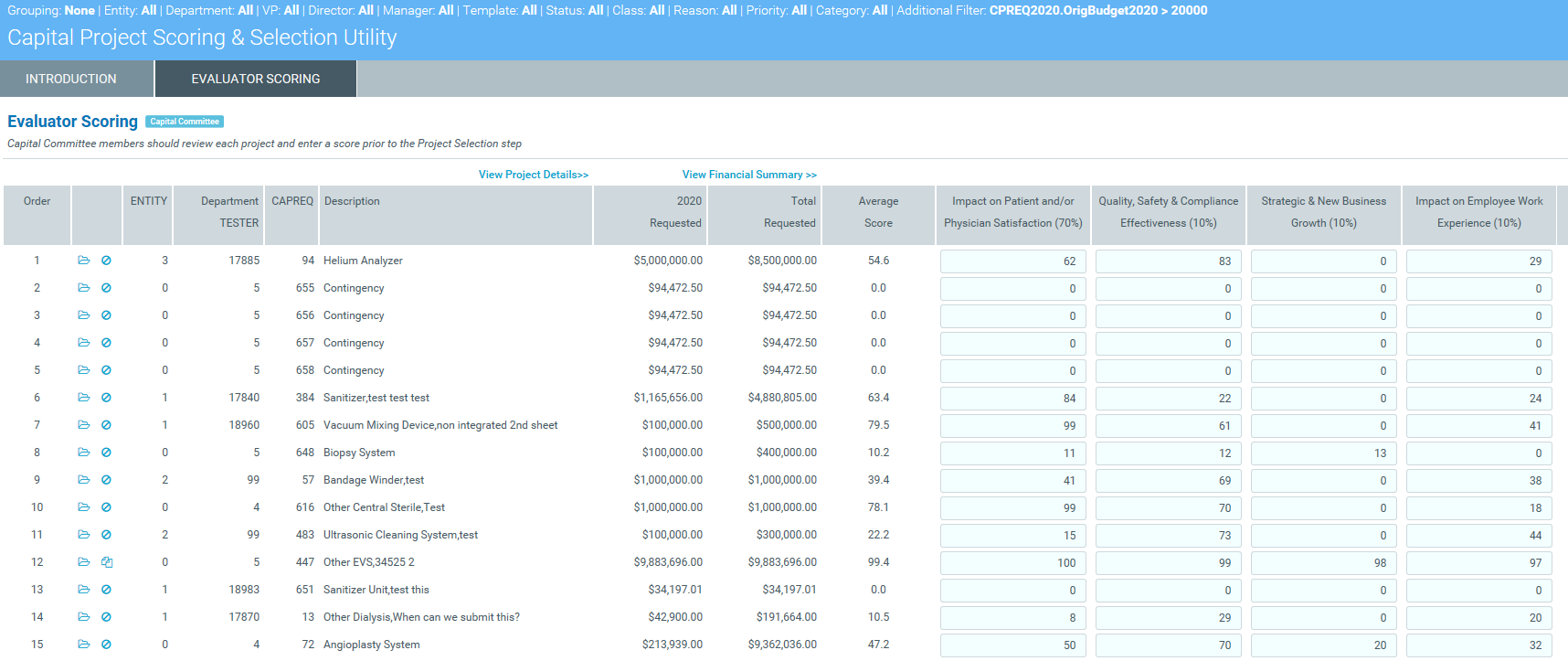
Capital Committee members score the proposed projects in the Evaluation Scoring tab, which lists the available projects as set up by the Capital Planning administrator. To evaluate projects before scoring, committee members can open project plan files and corresponding documents as well as view project details and financial summary information as part of the table. The table includes columns for a variety of criteria that committee members use to score on a scale determined by the administrator (the default scale is 0 to 100). The scoring columns are indicated by the blue cells, each of which is weighted as indicated by the percentage in the parenthesis in the column header.
For more information, see the following topics:
